My Sounds
0 of 32NOW PLAYING
SINGING BOWL Factory 01 ● edited
a playable Chladni plate · firmware for the M-VAVE FM-1, running in your browser
Swipe the panel sideways (away from the keys) for the rest of it, or turn your phone.
Sound on · best with headphones
Tab moves between the knobs, the buttons, the upper keys and the lower keys; the left and right arrows move within them. Up and down turn a focused knob, Page Up and Page Down by ten. Enter holds a focused button or key while you hold it; Shift and Enter keeps it down until you press it again. Anywhere on the page, the letter keys play (Ableton layout), holding Space leans into every held key, and Escape lets go of everything.
Switch on to play
Up to 14 characters: A–Z, 0–9, space and - . ' & + / ! ? # ( ) :. The FM-1 shows names in capitals.
My Sounds is full: all 32 slots are used. Pick one to replace, or delete a sound first.
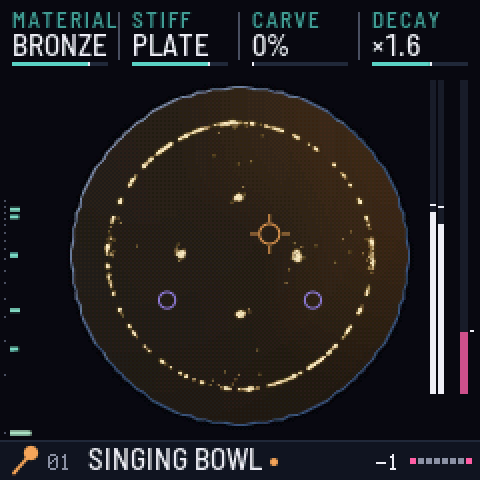
In 1787 the German physicist and musician Ernst Chladni scattered sand on a thin brass plate and drew a violin bow along its edge. The plate rang out a note, and the sand jumped into a sharp geometric figure.
A vibrating plate doesn't move everywhere at once. Some regions swing up and down hard while certain lines stay perfectly still: the nodal lines. The sand is thrown off the moving parts and piles up on the still lines, so the figure you see is the shape of the sound. Every note has its own figure, and higher notes draw finer ones.
It turns the experiment into an instrument. Each key makes a virtual plate ring, and the sand on the screen settles along the still lines of whatever is sounding, because the picture and the sound come from the same simulation of the plate's vibration patterns (its modes). Morph the plate from a circle to a hexagon or a star and both the figure and the overtones change together. Press harder and you bow harder, as Chladni did; in SURFACE mode the keyboard itself becomes the plate, and resting a finger on a dark key pulls out a pure harmonic.
CYMA-1's plates are Chladni-like rather than laboratory-exact: they are modelled as stiffened membranes, close enough to draw the classic figures and ring with their overtones.
Save the sounds you make, come back to them, and share them. My Sounds holds 32, the same as the FM-1, and stays in this browser.
NOW PLAYING
SINGING BOWL Factory 01 ● edited
Drop a CYMA-1 file here
Sounds and banks (.json), or a text file of codes
Every key strikes, bows or rains on a virtual metal plate. The sand on the screen settles into the nodal figure you are hearing, because the picture and the sound are the same modal simulation.
A plays C4 and the row continues to the apostrophe, F5, as in Ableton Live; W, E, T, Y, U, O and P are the sharps.
Eight short performances, rendered offline by the same C code that runs above. The films are loudness-matched to −18 LUFS, so they play at an even level.
Every number here is algorithmic, from the host build. None is measured on the FM-1.